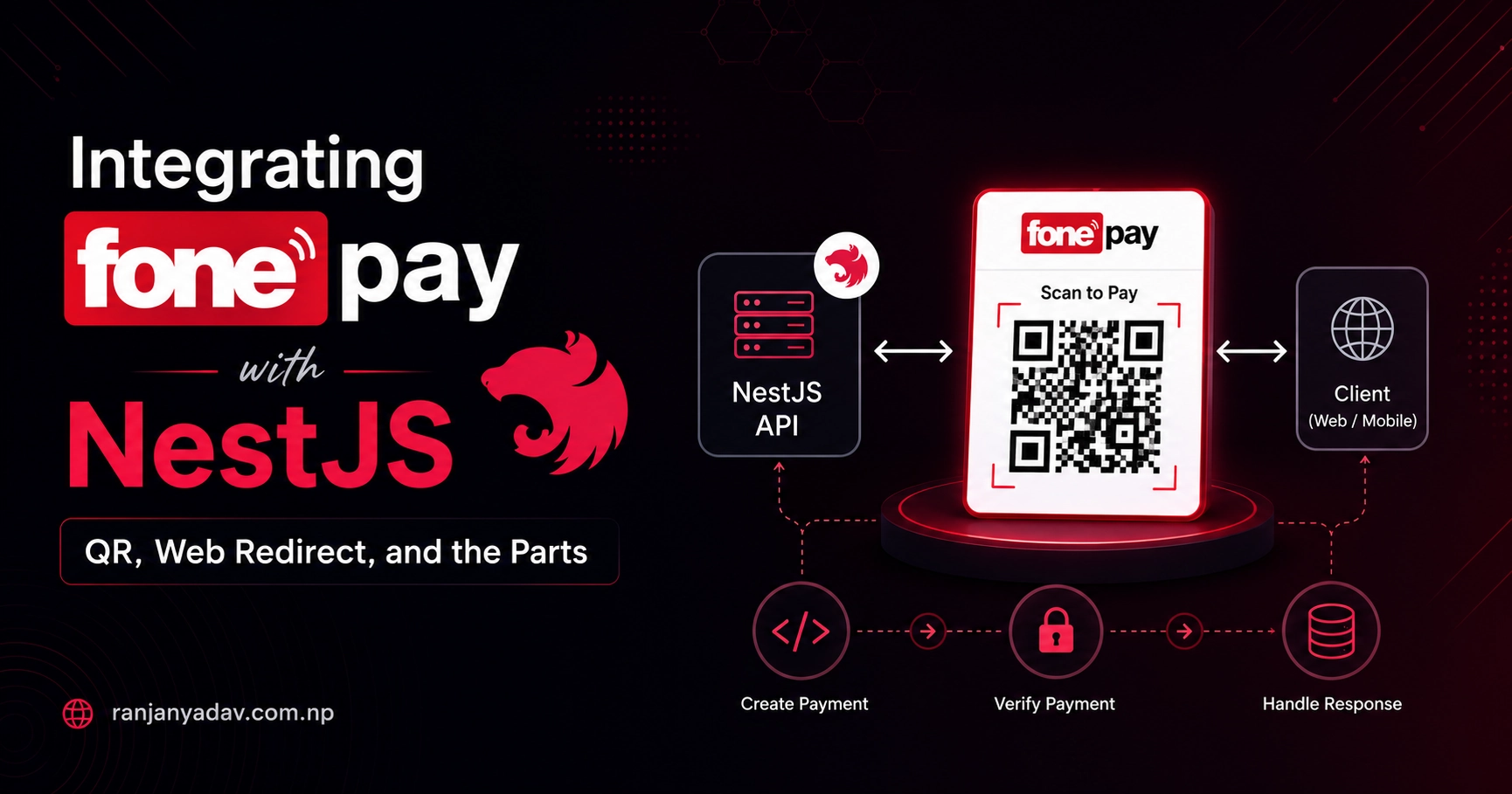
A production-grade guide to wiring Fonepay — Nepal's interbank QR and payment network — into a NestJS (TypeScript) backend. HMAC-SHA512 signing done right, dynamic QR with real-time WebSocket confirmation, the web-redirect flow, and the server-side verification, idempotency, and amount checks most guides leave out.
Almost every Nepali product eventually has to take money, and in Nepal that means Fonepay. The integration itself is small — a few signed HTTP calls — but the tutorials I keep finding stop at "generate the hash and redirect." They skip the part that actually matters: never trusting the amount the browser hands you, verifying the outcome server-to-server, and making sure a refreshed tab can't fulfil an order twice.
This is the version I wish I'd had: idiomatic NestJS on Node 24, zero crypto dependencies, both flows (dynamic QR and web redirect), and the production hardening written down instead of assumed.
There's a companion guide — Integrating Fonepay with Go — that ports every flow here to the Go standard library. Same contracts, same field orders, same production rules.
Fonepay has no public developer portal and the spec ships with your merchant credentials, so exact field sets vary by API version. Every signing string and endpoint below is cross-checked against Fonepay's own Java/Spring sample, the official dynamic-QR demo, and community SDKs — but treat your merchant contract as the source of truth and diff it against this before going live.
What Fonepay actually is
Fonepay is a vertical of F1Soft and Nepal's largest payment network, licensed by Nepal Rastra Bank as a Payment System Operator. It's an interoperable EMV QR + interbank (IBFT) rail reaching ~64 banks and wallets, so a single Fonepay QR is scannable from nearly every mobile-banking app in the country. Transactions are NPR (the QR also accepts Indian UPI), with a typical customer-side daily cap of NPR 200,000.
You don't self-serve API keys. You enrol as a merchant through a supporting acquiring bank, and Fonepay (or the bank) issues your merchant code, secret key, and a username/password. There are separate dev and live credentials — but the sandbox only exposes a single "test bank", so the full set of payment methods only lights up in production.
The two integration paths
Fonepay gives you two completely separate APIs on two different hosts. Pick by where the customer is paying.
| Dynamic QR | Web Redirect (PG) | |
|---|---|---|
| Host | merchantapi.fonepay.com | clientapi.fonepay.com |
| Customer pays by | Scanning a QR in any banking app | Being redirected to Fonepay's page |
| Best for | In-app checkout, POS, "scan to pay" | Classic web checkout button |
| Confirmation | WebSocket push + status poll | Browser redirect + server verify |
| Response format | JSON | XML (verification call) |
Both are signed the same way, so let's build that primitive once.
The signing primitive: HMAC-SHA512
Every Fonepay request carries a dataValidation / DV field: an HMAC-SHA512 of specific fields joined by commas (no spaces), keyed by your secret. Two rules decide whether it works:
- Field order is exact and non-negotiable. A reordered field produces a valid-looking hash that Fonepay rejects.
- Sign the raw values, then URL-encode for transport. Hash first, encode second — never the other way around.
node:crypto covers all of it; there's nothing to install.
import { createHmac, timingSafeEqual } from "node:crypto"

/** HMAC-SHA512 of `message`, keyed by the merchant secret, as lowercase hex. */
export function sign(secret: string, message: string): string {
  return createHmac("sha512", secret).update(message, "utf8").digest("hex")
}

/**
 * Constant-time comparison of two hex strings.
 *
 * Do NOT use `a === b` or `a.toUpperCase() === b.toUpperCase()` — string
 * equality short-circuits on the first differing byte and leaks, via timing,
 * how many leading characters matched. That's enough to forge a signature
 * byte by byte.
 */
export function safeHexEqual(a: string, b: string): boolean {
  if (typeof a !== "string" || typeof b !== "string") return false

  const bufA = Buffer.from(a, "hex")
  const bufB = Buffer.from(b, "hex")

  // timingSafeEqual throws RangeError on a length mismatch. Length isn't
  // secret, so short-circuiting here is safe — and saves you a 500.
  if (bufA.length === 0 || bufA.length !== bufB.length) return false

  return timingSafeEqual(bufA, bufB)
}Fonepay's own samples disagree on case — the Java helper emits uppercase, the Node packages emit lowercase. Because safeHexEqual decodes both sides to bytes before comparing, it's immune to the difference. That's exactly why we compare decoded buffers instead of strings.
Configuration
One typed config object, fed from the environment. Secrets never leave the server, and .env never enters git.
export const fonepay = {
  // Web Redirect (PG) — clientapi
  pgBaseUrl: process.env.FONEPAY_PG_URL!, // https://dev-clientapi.fonepay.com
  // Dynamic QR — merchantapi
  qrBaseUrl: process.env.FONEPAY_QR_URL!, // https://uat-new-merchant-api.fonepay.com/api

  merchantCode: process.env.FONEPAY_MERCHANT_CODE!, // PID
  secret: process.env.FONEPAY_SECRET!, // never sent in any payload
  username: process.env.FONEPAY_USERNAME!,
  password: process.env.FONEPAY_PASSWORD!,

  returnUrl: process.env.FONEPAY_RETURN_URL!, // public HTTPS callback
} as const# Sandbox hosts — swap for the live hosts in production.
FONEPAY_PG_URL=https://dev-clientapi.fonepay.com
FONEPAY_QR_URL=https://uat-new-merchant-api.fonepay.com/api
FONEPAY_MERCHANT_CODE=NBQM
FONEPAY_SECRET=your_merchant_secret_key
FONEPAY_USERNAME=your_username
FONEPAY_PASSWORD=your_password
FONEPAY_RETURN_URL=https://your-tunnel.example.com/payments/fonepay/returnNode 24 reads .env natively — node --env-file=.env server.js. No dotenv.
Sources split between uat-new-merchant-api.fonepay.com and dev-merchantapi.fonepay.com for the QR sandbox. Use whichever your onboarding packet names; the live host (merchantapi.fonepay.com) is consistent everywhere.
Flow A: Dynamic QR
The shape: you ask Fonepay for a QR, render the returned string as an image, and the customer scans it. Confirmation arrives two ways — a real-time WebSocket push (great UX) and a status endpoint (your source of truth).
1. Generate the QR
POST /merchant/merchantDetailsForThirdParty/thirdPartyDynamicQrDownload. The dataValidation signs amount,prn,merchantCode,remarks1,remarks2 — note the PRN sits before the merchant code.
import { fonepay } from "./config"
import { sign } from "./signing"

type QrResult = {
  qrMessage: string // encode THIS as the QR image
  thirdpartyQrWebSocketUrl: string // open for real-time push
  statusCode: number
}

export async function createDynamicQr(input: {
  prn: string // unique per attempt — you generate it
  amount: number // derived server-side, never from the client
  remarks1: string
  remarks2: string
}): Promise<QrResult> {
  const { prn, amount, remarks1, remarks2 } = input

  // EXACT order: amount, prn, merchantCode, remarks1, remarks2
  const dataValidation = sign(
    fonepay.secret,
    `${amount},${prn},${fonepay.merchantCode},${remarks1},${remarks2}`
  )

  const res = await fetch(
    `${fonepay.qrBaseUrl}/merchant/merchantDetailsForThirdParty/thirdPartyDynamicQrDownload`,
    {
      method: "POST",
      headers: { "Content-Type": "application/json" },
      body: JSON.stringify({
        amount,
        remarks1,
        remarks2,
        prn,
        merchantCode: fonepay.merchantCode,
        dataValidation,
        username: fonepay.username,
        password: fonepay.password,
      }),
      signal: AbortSignal.timeout(15_000),
    }
  )

  // fetch does NOT reject on 4xx/5xx — you must check this yourself.
  if (!res.ok) throw new Error(`QR download failed: HTTP ${res.status}`)
  return (await res.json()) as QrResult
}
Turn qrMessage into a scannable image with the one dependency this guide needs:
pnpm add qrcode
import QRCode from "qrcode"

export const toDataUrl = (qrMessage: string) => QRCode.toDataURL(qrMessage)
2. Confirm in real time, verify for real
The download response includes thirdpartyQrWebSocketUrl. The browser opens it for instant "Paid!" feedback the moment the customer's bank confirms — but the browser is untrusted, so the server still polls the status endpoint before it believes anything.
import { fonepay } from "./config"
import { sign } from "./signing"

type QrStatus = {
  paymentStatus: "success" | "pending" | "failed"
  fonepayTraceId: number
  prn: string
}

export async function getQrStatus(prn: string): Promise<QrStatus> {
  // EXACT order: prn, merchantCode
  const dataValidation = sign(fonepay.secret, `${prn},${fonepay.merchantCode}`)

  const res = await fetch(
    `${fonepay.qrBaseUrl}/merchant/merchantDetailsForThirdParty/thirdPartyDynamicQrGetStatus`,
    {
      method: "POST",
      headers: { "Content-Type": "application/json" },
      body: JSON.stringify({
        prn,
        merchantCode: fonepay.merchantCode,
        dataValidation,
        username: fonepay.username,
        password: fonepay.password,
      }),
      signal: AbortSignal.timeout(15_000),
    }
  )

  if (!res.ok) throw new Error(`QR status failed: HTTP ${res.status}`)
  return (await res.json()) as QrStatus
}
On the client, the WebSocket is purely for UX:
// Browser side — instant feedback only. The server decides if the order is paid.
const ws = new WebSocket(thirdpartyQrWebSocketUrl)
ws.onmessage = (ev) => {
  const msg = JSON.parse(ev.data)
  const tx =
    typeof msg.transactionStatus === "string"
      ? JSON.parse(msg.transactionStatus)
      : msg.transactionStatus
  if (tx?.paymentSuccess) {
    // Show a spinner, then poll your own backend, which calls getQrStatus().
  }
}Anyone can open a WebSocket and send { paymentSuccess: true } to your client. The push event is a hint to refresh the UI; settlement is whatever getQrStatus() returns from your server. Same rule as every gateway: the client tells you when to check, never what the answer is.
Flow B: Web Redirect (PG)
Here the customer leaves your site for Fonepay's hosted page and comes back. You build one signed URL, redirect, then verify on return.
1. Build the signed redirect URL
The request DV signs PID,MD,PRN,AMT,CRN,DT,R1,R2,RU. Mind the details: MD is always P, CRN is NPR, and DT is MM/DD/YYYY — US month-first, not the day-first format your instinct reaches for in Nepal.
| Field | Meaning |
|---|---|
PID | Merchant code |
MD | Payment mode — always P |
PRN | Your unique reference number |
AMT | Amount |
CRN | Currency — NPR |
DT | Request date, MM/DD/YYYY |
R1 | Remark 1 (required) |
R2 | Remark 2 (optional) |
RU | Return URL |
DV | The HMAC-SHA512 signature |
import { fonepay } from "./config"
import { sign } from "./signing"

export function buildPaymentUrl(input: {
  prn: string
  amount: number
  remarks1: string
  remarks2?: string
}): string {
  const today = new Date()
  const dt = `${String(today.getMonth() + 1).padStart(2, "0")}/${String(
    today.getDate()
  ).padStart(2, "0")}/${today.getFullYear()}` // MM/DD/YYYY

  const params = {
    PID: fonepay.merchantCode,
    MD: "P",
    PRN: input.prn,
    AMT: String(input.amount),
    CRN: "NPR",
    DT: dt,
    R1: input.remarks1,
    R2: input.remarks2 ?? "",
    RU: fonepay.returnUrl,
  }

  // Sign the RAW values in this exact order...
  const DV = sign(
    fonepay.secret,
    [
      params.PID,
      params.MD,
      params.PRN,
      params.AMT,
      params.CRN,
      params.DT,
      params.R1,
      params.R2,
      params.RU,
    ].join(",")
  )

  // ...then let URLSearchParams handle encoding. Query-string order is
  // irrelevant to Fonepay — only the SIGNING order above matters.
  const qs = new URLSearchParams({ ...params, DV })
  return `${fonepay.pgBaseUrl}/api/merchantRequest?${qs}`
}
Redirect the customer to that URL and they land on Fonepay's payment page.
2. Handle the return, then verify server-to-server
Fonepay's official flow redirects back to your RU with just PRN, BID, and UID. Those query params are not proof of payment — they only tell you which transaction to go verify. The truth comes from a server-to-server call whose DV signs PID,AMT,PRN,BID,UID, and the response is XML.
import { fonepay } from "./config"
import { sign } from "./signing"

export type Verification = {
  success: boolean
  responseCode: string // "successful" on success
  amount: number
  uniqueId: string
}

export async function verifyTransaction(input: {
  prn: string
  bid: string // BID from the return query
  uid: string // UID from the return query
  amount: number // your EXPECTED amount, from your DB
}): Promise<Verification> {
  const { prn, bid, uid, amount } = input

  // EXACT order: PID, AMT, PRN, BID, UID
  const DV = sign(
    fonepay.secret,
    `${fonepay.merchantCode},${amount},${prn},${bid},${uid}`
  )

  const qs = new URLSearchParams({
    PRN: prn,
    PID: fonepay.merchantCode,
    BID: bid,
    AMT: String(amount),
    UID: uid,
    DV,
  })

  const res = await fetch(
    `${fonepay.pgBaseUrl}/api/merchantRequest/verificationMerchant?${qs}`,
    { signal: AbortSignal.timeout(30_000) }
  )
  if (!res.ok) throw new Error(`Verification failed: HTTP ${res.status}`)

  const xml = await res.text()
  const field = (name: string) =>
    xml.match(new RegExp(`<${name}>(.*?)</${name}>`, "s"))?.[1]?.trim() ?? ""

  return {
    success: field("success") === "true",
    responseCode: field("response_code"),
    amount: Number(field("amount")) || 0,
    uniqueId: field("uniqueId"),
  }
}
The XML you're parsing looks like this:
<response>
  <amount>100</amount>
  <txnAmount>100</txnAmount>
  <bankCode>BANK</bankCode>
  <initiator>98XXXXXXXX</initiator>
  <message>payment success</message>
  <response_code>successful</response_code>
  <statusCode>1</statusCode>
  <success>true</success>
  <uniqueId>202406201234567</uniqueId>
</response>Some Fonepay contracts instead redirect to RU with a fuller param set (PRN, PID, PS, RC, UID, BC, INI, P_AMT, R_AMT, DV) where the response DV signs PRN,PID,PS,RC,UID,BC,INI,P_AMT,R_AMT. If that's yours, verify that signature with safeHexEqual as a first gate — but still run the server-to-server verifyTransaction above before you fulfil. The redirect is convenience; the verification call is authority.
The flat regex extraction keeps this dependency-free for Fonepay's simple, fixed response. For anything richer, reach for fast-xml-parser rather than hand-rolling.
Wiring it into NestJS
A thin controller over the helpers above, with OrdersService injected. Notice what it does not do: it never reads an amount from the request at verification time — the amount always comes from your database.
import { Controller, Get, Param, Post, Query, Redirect } from "@nestjs/common"

import { createDynamicQr } from "./fonepay/qr"
import { buildPaymentUrl } from "./fonepay/redirect"
import { OrdersService } from "./orders/orders.service"
import { settlePayment } from "./payments/settle" // see "Getting it right in production"

@Controller("payments/fonepay")
export class PaymentsController {
  constructor(private readonly orders: OrdersService) {}

  // Start a QR payment.
  @Post("qr/:orderId")
  async startQr(@Param("orderId") orderId: string) {
    const order = await this.orders.findByIdOrThrow(orderId)
    const qr = await createDynamicQr({
      prn: order.prn,
      amount: order.expectedAmount, // from the DB, not the request
      remarks1: order.id,
      remarks2: "checkout",
    })
    return { qrMessage: qr.qrMessage, ws: qr.thirdpartyQrWebSocketUrl }
  }

  // Start a web-redirect payment.
  @Post("web/:orderId")
  async startWeb(@Param("orderId") orderId: string) {
    const order = await this.orders.findByIdOrThrow(orderId)
    return {
      url: buildPaymentUrl({
        prn: order.prn,
        amount: order.expectedAmount,
        remarks1: order.id,
      }),
    }
  }

  // Fonepay redirects the customer back here. @Redirect lets the return value
  // override the destination at runtime — no need to grab the raw res object.
  @Get("return")
  @Redirect()
  async onReturn(
    @Query("PRN") prn: string,
    @Query("BID") bid = "",
    @Query("UID") uid = ""
  ) {
    const status = await settlePayment(prn, { bid, uid })
    const base = process.env.CLIENT_URL
    return {
      url:
        status === "PAID"
          ? `${base}/payment/success`
          : `${base}/payment/failed`,
    }
  }
}
Register it in a module — OrdersService is provided here (or imported from its own module):
import { Module } from "@nestjs/common"

import { OrdersService } from "./orders/orders.service"
import { PaymentsController } from "./payments.controller"

@Module({
  controllers: [PaymentsController],
  providers: [OrdersService],
})
export class PaymentsModule {}
Getting it right in production
This is the part the copy-paste tutorials skip, and it's the only part that protects your revenue.
Never trust the client's amount
The browser can change any number you send it. So you derive the amount twice from your own data: once when you create the payment, and again when you verify it.
import { randomUUID } from "node:crypto"

export async function createOrderPayment(orderId: string) {
  const order = await db.orders.findByIdOrThrow(orderId)

  // Re-price from line items in YOUR database. Ignore any client total.
  const expectedAmount = order.lineItems.reduce(
    (sum, li) => sum + li.unitPrice * li.qty,
    0
  )

  const prn = randomUUID() // unique per attempt
  await db.orders.update(orderId, {
    prn,
    expectedAmount, // the persisted source of truth
    currency: "NPR",
    status: "PENDING",
  })

  return { prn, expectedAmount }
}
Fulfil exactly once
Fonepay can hit your return URL more than once, the customer can refresh it, and your QR poller can fire at the same time. Without a guard, that's a double-shipped order. The fix is a state machine plus one atomic transition: only the first caller that flips PENDING wins.
import { verifyTransaction } from "../fonepay/verify"

export async function settlePayment(
  prn: string,
  ref: { bid: string; uid: string }
): Promise<"PAID" | "FAILED" | "PENDING"> {
  const order = await db.orders.findByPrnOrThrow(prn)

  // Already decided? No-op. This is what makes a refresh / retry safe.
  if (order.status !== "PENDING") return order.status

  // The gateway is the source of truth — not the redirect query string.
  const v = await verifyTransaction({
    prn,
    bid: ref.bid,
    uid: ref.uid,
    amount: order.expectedAmount,
  })

  if (!v.success || v.responseCode !== "successful") {
    await db.orders.updateWhere(
      { id: order.id, status: "PENDING" },
      { status: "FAILED" }
    )
    return "FAILED"
  }

  // Re-check the paid amount against what we stored. Reject under- AND overpay.
  if (v.amount !== order.expectedAmount) {
    throw new Error(
      `Amount mismatch: paid ${v.amount}, expected ${order.expectedAmount}`
    )
  }

  // Atomic: flip PENDING -> PAID only if still PENDING. Exactly one winner.
  const flipped = await db.orders.updateWhere(
    { id: order.id, status: "PENDING" },
    { status: "PAID", gatewayRef: v.uniqueId }
  )
  if (flipped.rowCount === 1) await fulfilOrder(order.id) // runs once, ever

  return "PAID"
}
Reconcile the stragglers
Networks drop. A payment can succeed at the bank while your callback never arrives, leaving an order stuck PENDING. Run a cron that re-checks pending orders against getQrStatus (QR) or verifyTransaction (redirect) and resolves them. Without it, you'll quietly lose real, paid orders.
The rest of the checklist
- Secrets live in env or a secret manager — never in client code, never committed.
- Your return URL must be public HTTPS. For local dev, tunnel it:
npx ngrok http 3000orcloudflared. fetchdoesn't throw on 4xx/5xx. Always checkres.ok(every snippet above does). UseAbortSignal.timeout()so a stalled gateway can't hang your request.- Compare signatures with
safeHexEqual, never with===.
Testing in the sandbox
Point your config at the dev hosts (dev-clientapi.fonepay.com, uat-new-merchant-api.fonepay.com) and use the credentials from your onboarding packet. Fonepay's public Spring sample ships working dev keys — merchant code NBQM — handy for a first redirect smoke test. Remember the sandbox only offers a single test bank; the full bank/wallet list only appears with live credentials.
Troubleshooting
Nearly every Fonepay bug is the signature. When Fonepay rejects a request, check, in order:
- Field order. It must match the signing string exactly —
amount,prn,merchantCode,...for QR,PID,MD,PRN,...for redirect. One swapped field, silent failure. - Encode-after-sign. Hash the raw values; URL-encode only for transport. Signing the encoded string is the classic mistake.
- Date format. Redirect
DTisMM/DD/YYYY. June 20th is06/20/2026, not20/06/2026. - Hex case. If you must string-compare, do it case-insensitively — but really, just use
safeHexEqual. - Wrong host. QR lives on
merchantapi, redirect onclientapi. They are not interchangeable.
Conclusion
The Fonepay integration is genuinely small — sign a string, make a call, verify the result. What separates a demo from something you'd put real money through is everything around that core: deriving amounts from your own database, treating the gateway's server-to-server response as the only authority, and making fulfilment idempotent so no refresh or retry can charge or ship twice.
Build the signing primitive once, keep the secret server-side, verify everything, and Fonepay becomes the boring, reliable part of checkout — which is exactly what you want a payment rail to be.
Running a Go backend? The same integration, ported to the standard library, lives in Integrating Fonepay with Go.
Fonepay's contract can differ by API version and acquiring bank. Use this as the map, not the territory — always diff it against the spec that came with your credentials before you ship.